
Donation page
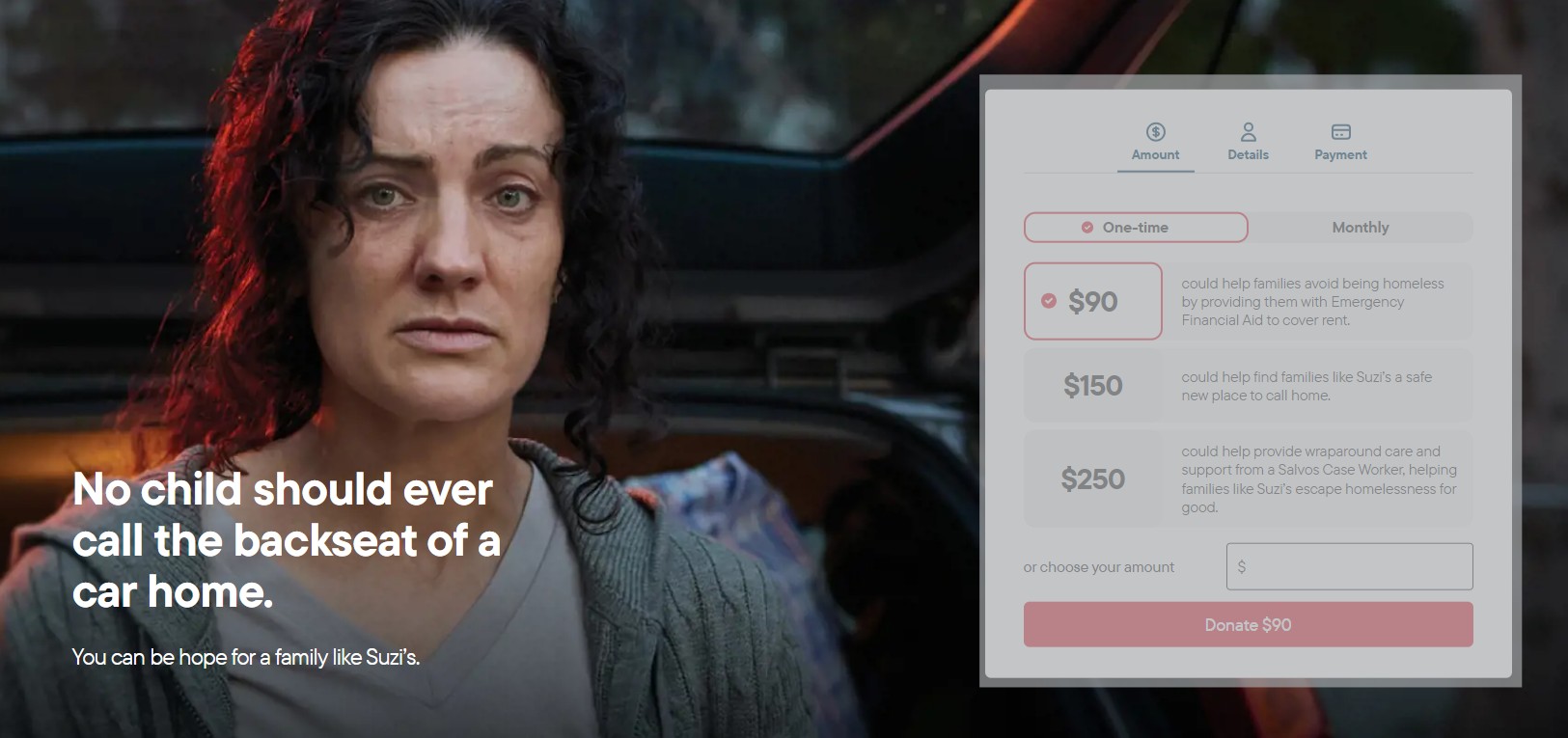
Hero image and title
Mandatory elements
- Image must be 2:1 ratio (landscape) and be a minimum size of 2400px × 1200px
- Focal point on the left
- Provide enough contrast for white text to be meet accessibility standards
- Title is optimal at 55 characters (check messaging hierarchy if summary and video are also used).
Example
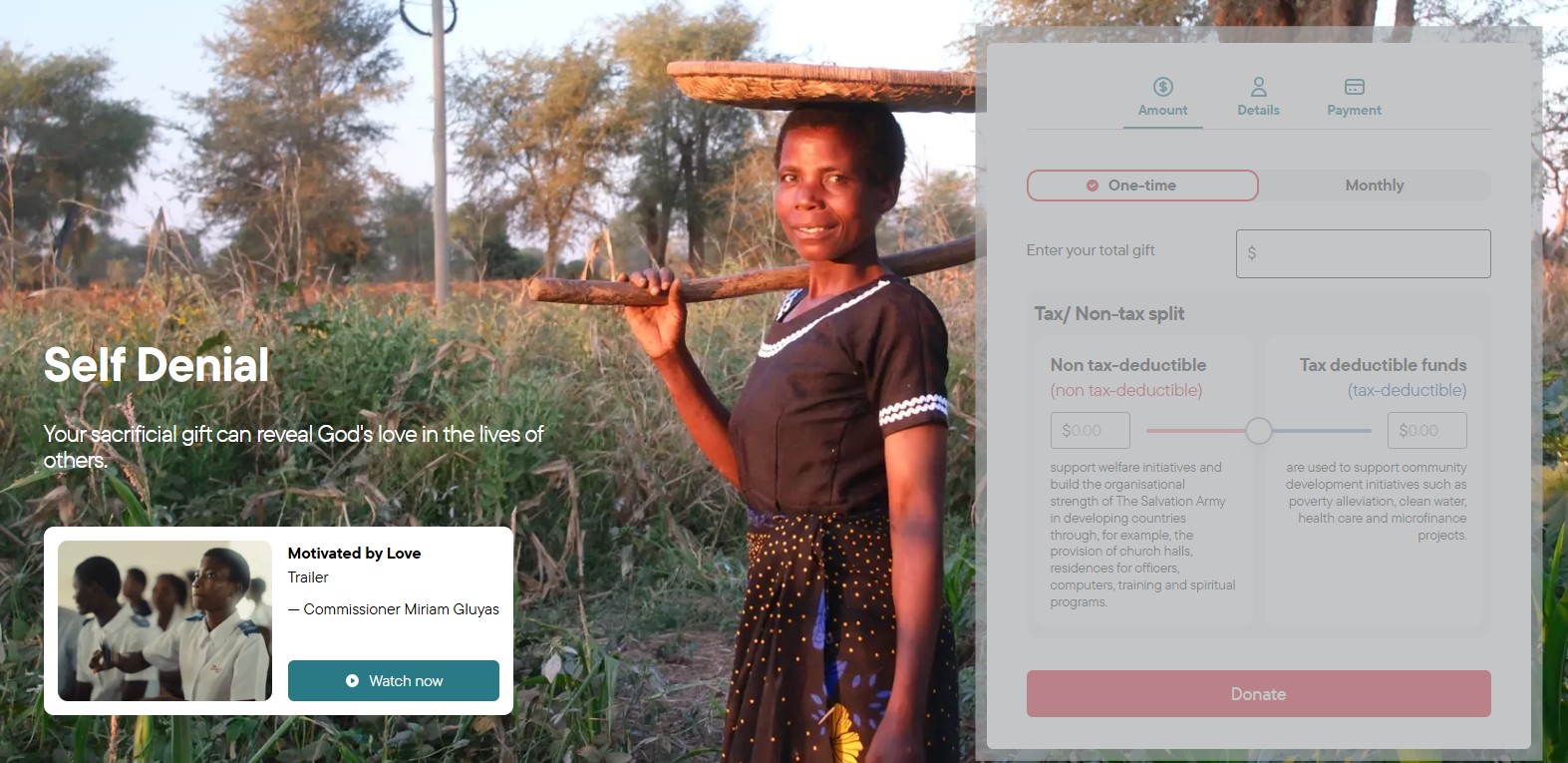
Hero summary and video
Optional elements
- Summary to be no more than 40 characters (look for message hierarchy with the heading and subheading and if video is also used)
- A video can be displayed beneath the heading elements with:
- Title < 20 characters
- Summary < 50 characters
- Attribution < 25 characters
- Button text < 10 characters
Example

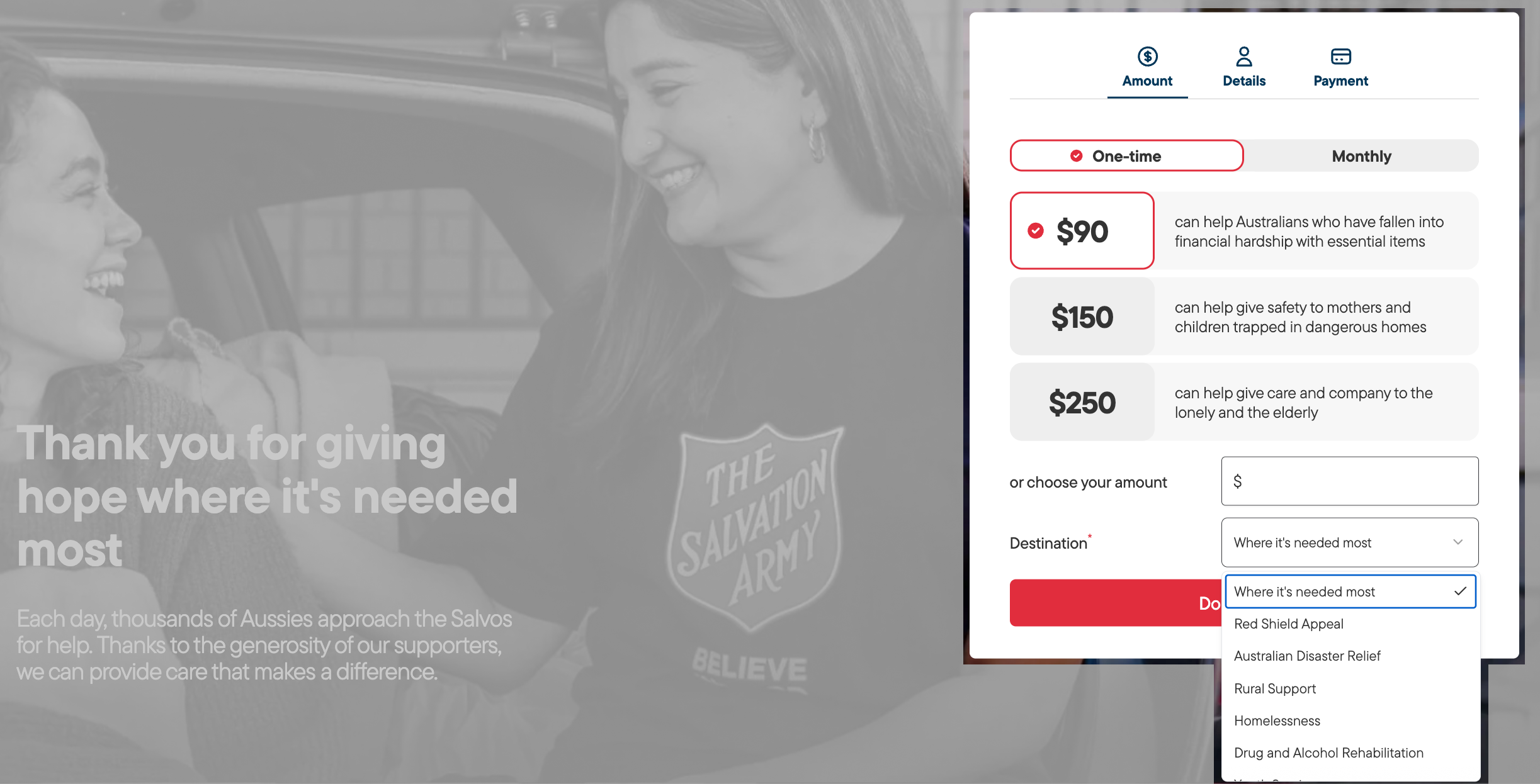
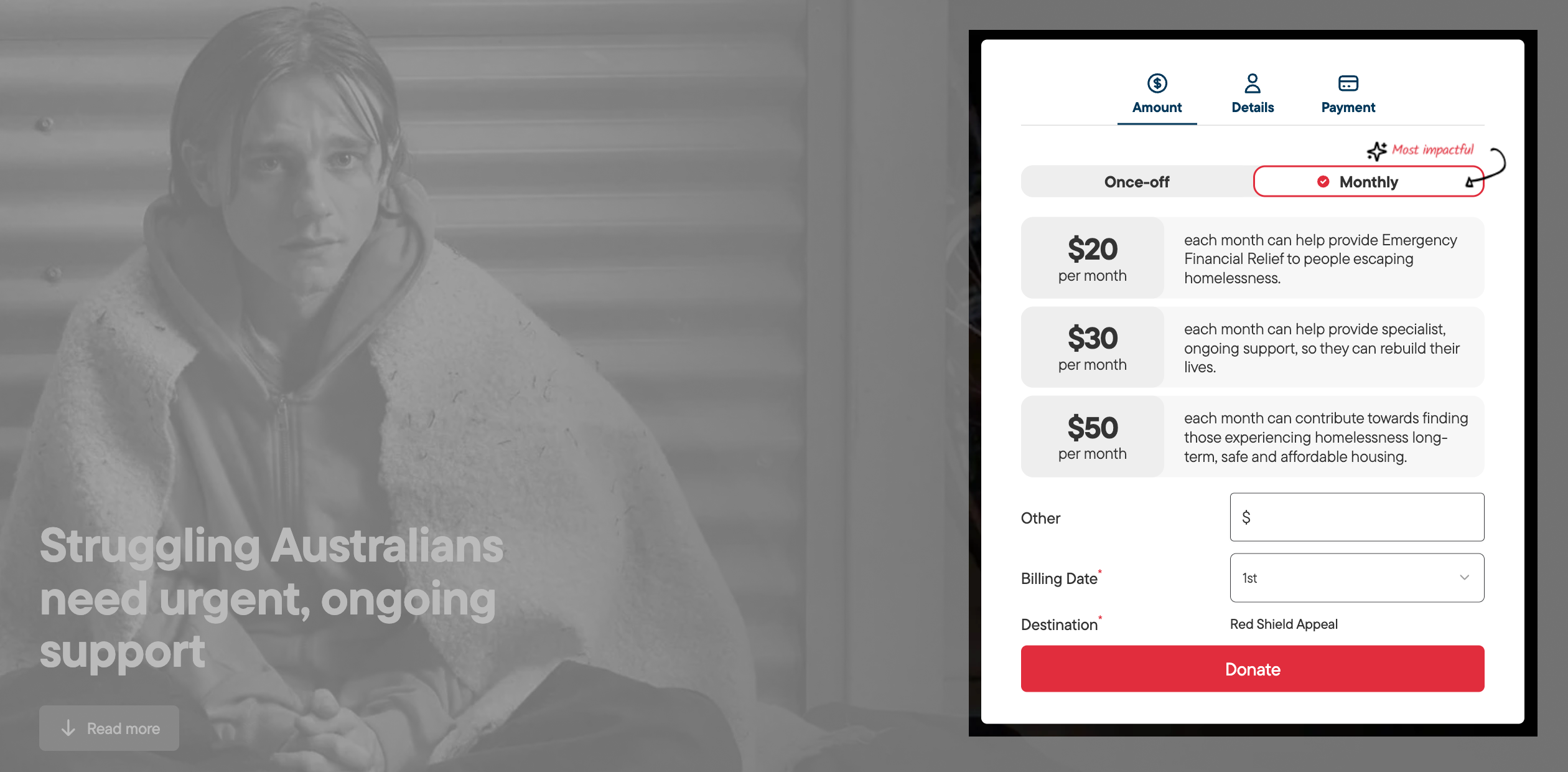
Dollar handles
Whole dollar values up to six digits.

Descriptions
Up to 85 characters.

Destination
Up to 40 characters.
Generic donation block only

Starting point
Once or monthly giving*
*"most impact" svg 125px x 30px
Generic block example
Shows the dollar handles, description (used across all donation blocks) and the destination used on the generic block (typically used outside of campaign periods).
Regular giving example
Shows the "Monthly" option displayed first with the "most impact indicator". The icon and the words can be altered to fit the space and campaign requirement. Needs to be supplied as an svg 125px x 30px.

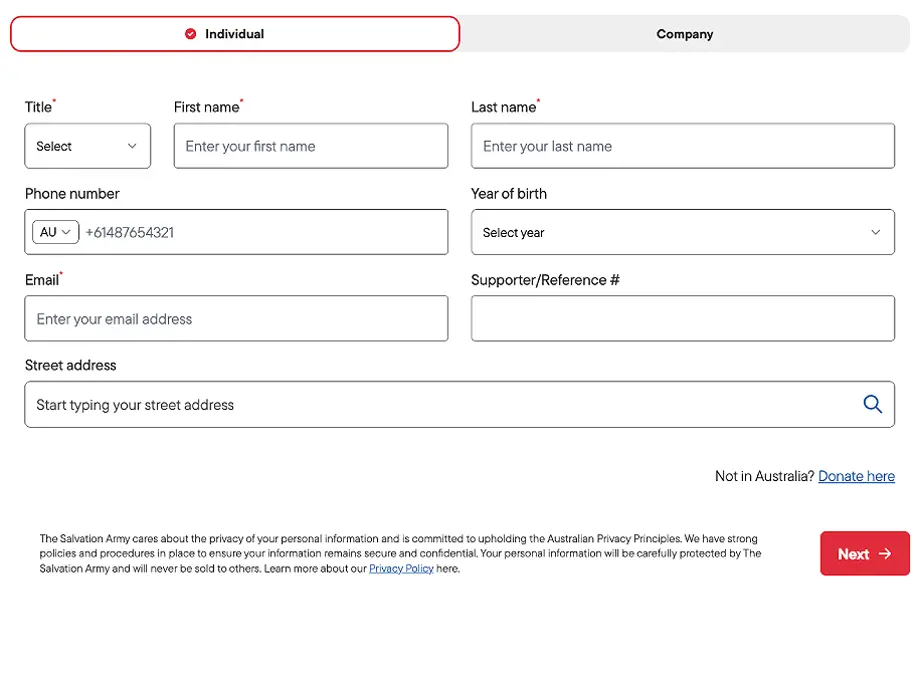
Long form
Requires eight entries.

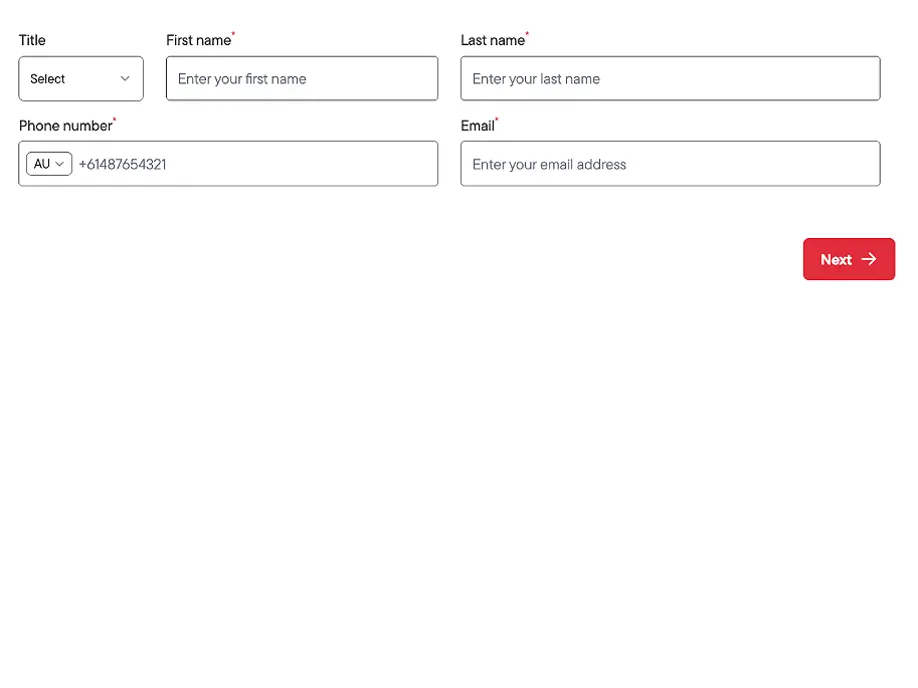
Short form
Requires five entries.
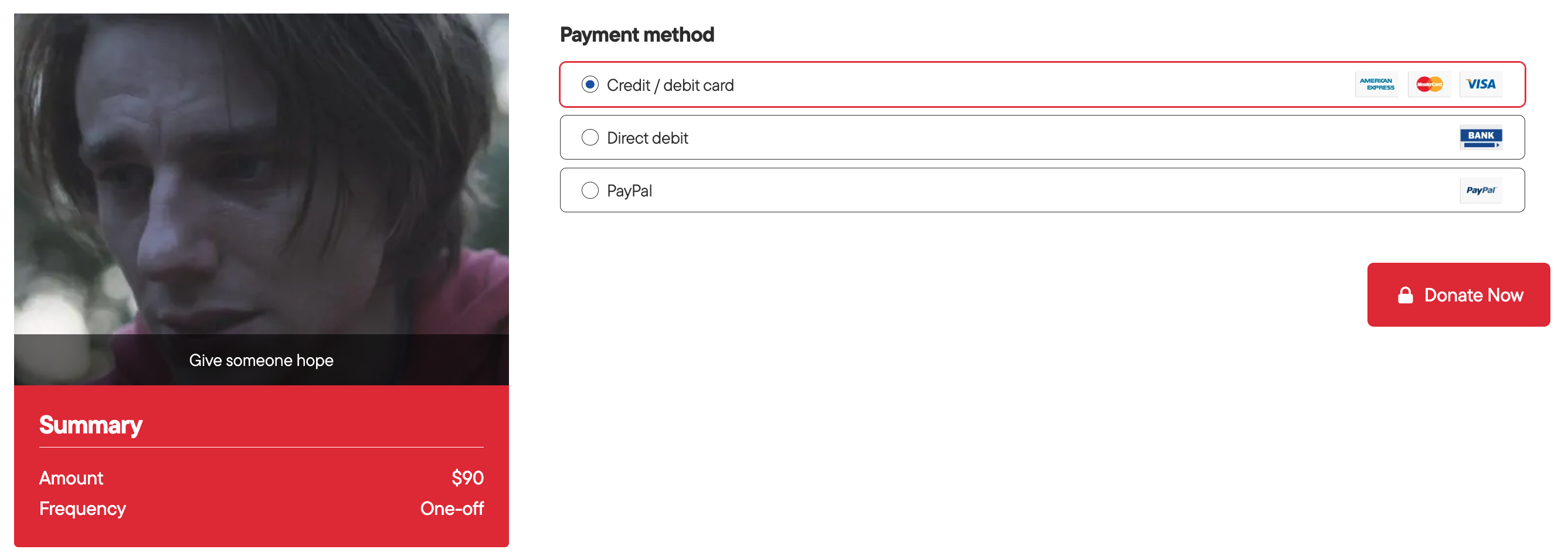
Step 3: Payment and Summary — you can edit the following:
- Title < 50 characters (eg. donation summary)
- Image is 3:2 ratio (landscape), minimum size of 2400px × 1600px
- Image caption < 70 characters
- Round up text < 70 characters
- Round up amount
- Round up text above $200 < 70 characters
- Round up amount above $200
- Round up text below $200 < 70 characters
- Round up amount below $200
- Button text < 25 characters
Step 4: Confirmation page — you can edit the following:
For users who made a once-off donation:
- Heading < 34 characters
- Summary < 62 characters
- Confrimation message title < 34 characters
- Confirmation message content < 160 characters
For users who made a monthly donation:
- Heading < 34 characters
- Summary < 62 characters
- Confrimation message title < 34 characters
- Confirmation message content < 160 characters
For all donors:
- Image is must be 2:1 ratio (landscape) and be a minimum size of 2400px × 1200px
- Video 16:9 ratio (landscape) and be a minimum size of 2400px × 1350px
- Download Receipt Link Text < 22 characters
- Contact Us Button < 22 characters
- Follow up actions title < 48 characters
- Follow up actions buttons < 22 characters
- Question 1 label < 48 characters
- Question 2 label < 48 characters
- Question 2 placeholder < 48 characters
- Question 2 options, select options, reccomended 2-6 options, < 48 characters each
[For Leah: Get an image from a finished donation confirmation page since I can't seem to generate this]
Step 5: Thank-you email — you can edit the following:
[For Leah, need specs for this]