

Landing page tiles
Landing page tiles
Landing page tiles consists of bordered and self-contained 'tile' components arranged in a column layout. These blocks have two distinct layout styles: image tiles and text-only tiles.
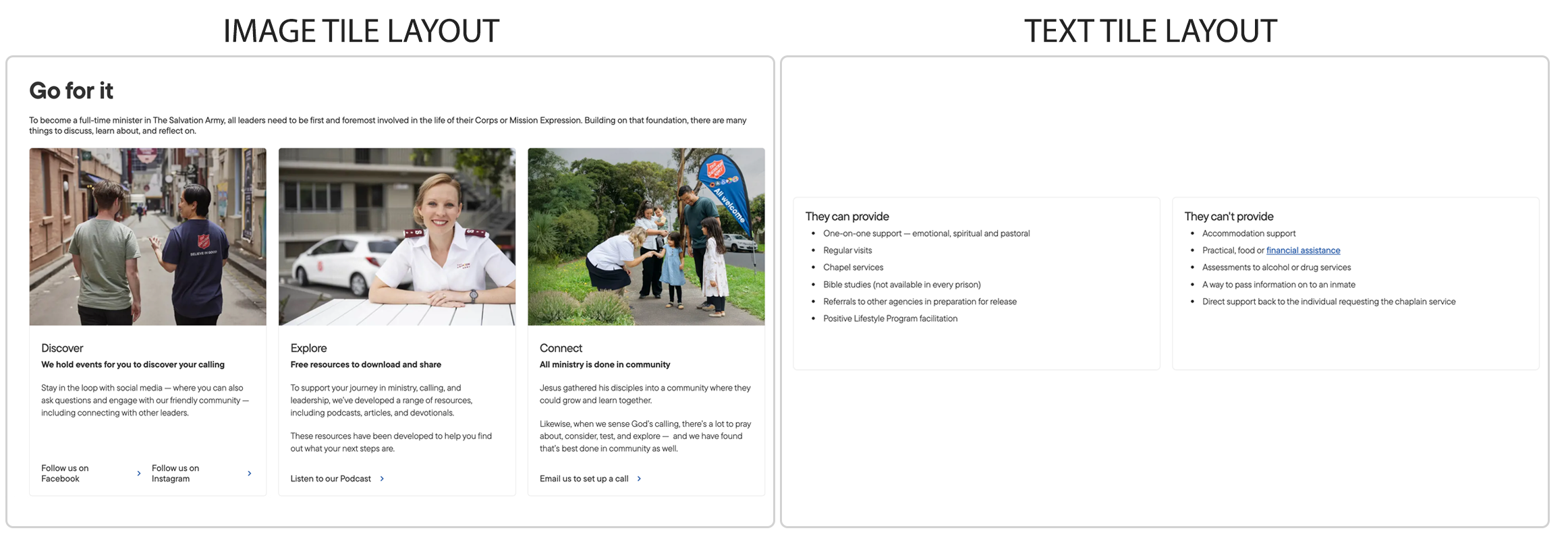
Layout considerations
- These layouts can be used on both one-column and two-column landing pages, with consideration given to how many tile-columns are used in the block.
- Four (4) tile-columns will struggle to fit in the width of a two-column page, while only two (2) tile-columns will look stretched and empty in a one-column page.
- Ideally a two-column page should use 2-3 tile-columns, and a one-column page should use 3-4 tile-columns.
- The block will automatically lay out any number of tiles into the correct number of colums. Eg. A three column block with five (5) tiles will lay out as per the example below:
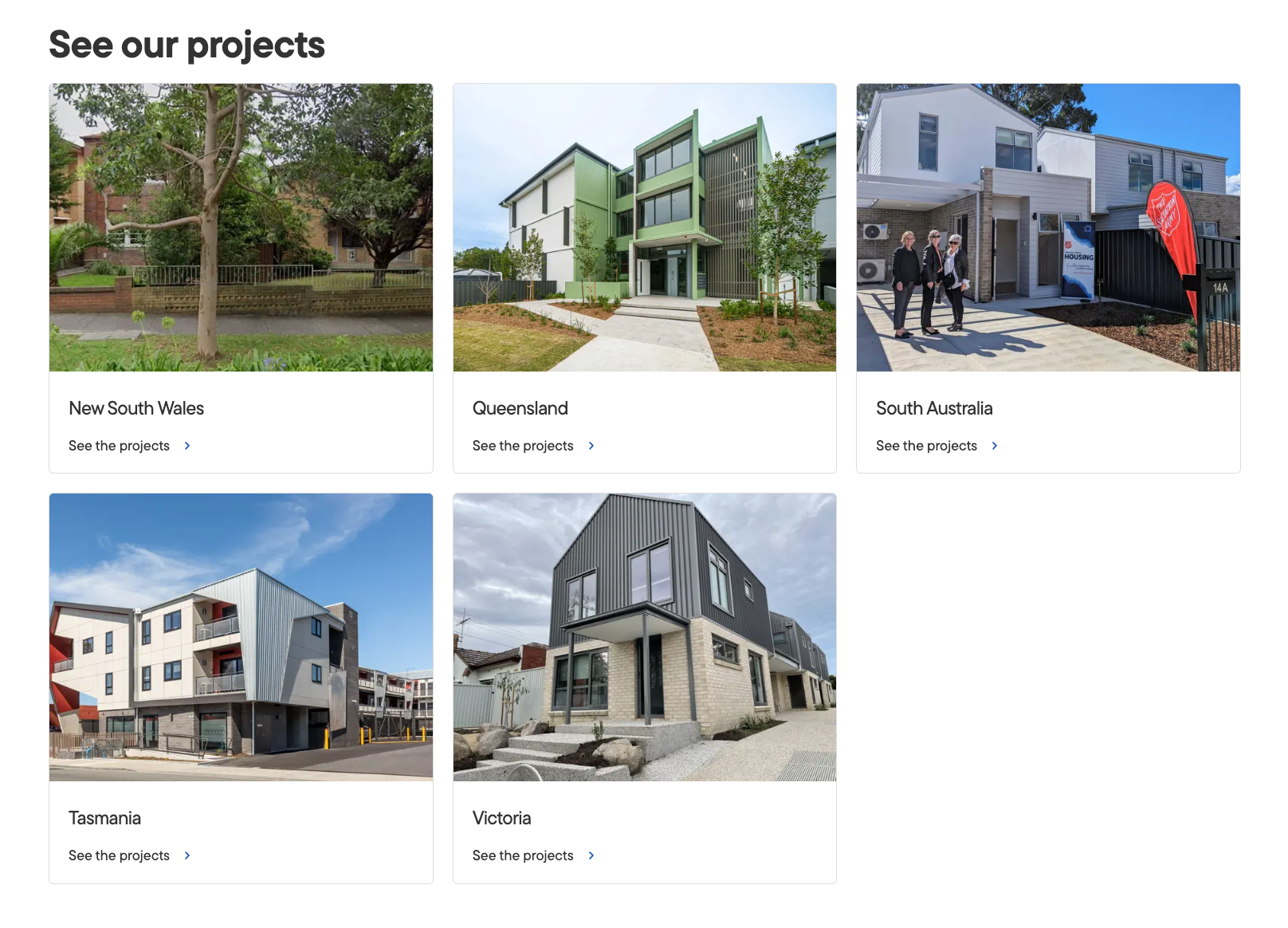 If there are not enough tiles to fill the minumum number of columns, the column will be left blank which can be used to create more white-space around the content.
Image tile block
Block elements
- Block heading is optional and must be < 50 characters.
- Block subtitle is optonal and must be < 124 characters.
- Number of columns must be two (2), three (3) or four (4).
Tile elements
- Images are mandatory and should have a 4:3 ratio (landscape) and should be a minimum size of 2400px x 1800px.
- Titles should be between 25-55 characters and wrap to 1-2 lines.
- Subtitles should be between 160-320 characters and wrap to 3-6 lines.
- CTA buttons are optional, and should be limited to a maximum of 2 per tile.
- Button text should be < 22 characters.
- Buttons can open in new window or in same window.
Block example below
Image tile block heading (optional)

Tile heading area
Subheading area is rich text
You can use WYSIWYG styling in this area, but links should be kept to the bottom button CTA.

Tile heading area
Subheading area is rich text
You can use WYSIWYG styling in this area, but links should be kept to the bottom button CTA.

Tile heading area
Subheading area is rich text
You can use WYSIWYG styling in this area, but links should be kept to the bottom button CTA.
This tile has no button.
Text tile block
Block elements
- Block heading is optional and must be < 50 characters.
- Block subtitle is optonal and must be < 124 characters.
- Number of columns must be two (2), three (3) or four (4).
Tile elements
- Titles should be between 25-55 characters and wrap to 1-2 lines.
- Subtitles should be between 160-320 characters and wrap to 3-6 lines.
- CTA buttons are optional, and should be limited to a maximum of 2 per tile.
- Button text should be < 22 characters.
- Buttons can open in new window or in same window.
Text tile block heading (optional)
Text tile heading area
Subheading area is rich text
You can use WYSIWYG styling in this area, but links should be kept to the bottom button CTA.
- List items can be used.
- Keep dimensions the tile area in mind when deciding on content length.
Text tile heading area
Subheading area is rich text
You can use WYSIWYG styling in this area, but links should be kept to the bottom button CTA.
This card has no CTA button.